Unlock full CRUD access to Microsoft Forms through PowerShell and Azure App Registrations
In Part 1 we reverse-engineered the read side of Microsoft Forms’ hidden API — enough to pull forms and responses straight into PowerShell without ever opening a browser.
This time we’re going the other way. In this article we’ll unlock the mutation side of the same API:
- Creating new forms
- Adding questions and sections to them
- Updating titles, descriptions and settings
- Deleting forms when you’re done
One change since Part 1: Microsoft has been moving the Forms API off forms.office.com and onto forms.cloud.microsoft as part of a broader push to consolidate Microsoft 365 services onto dedicated, more tightly-scoped domains for better security.
Same disclaimer as Part 1 applies: none of this is documented by Microsoft. It’s reconstructed from watching what the Forms web app actually sends over the wire, so treat it as unofficial and test carefully before relying on it for anything important.
Updating our App Registration in Azure
In Part 1, we set up an Azure App Registration with Forms.Read.All and Forms.Read permissions — enough to read data from Microsoft Forms.
To create, update, or delete forms, we need to grant our app write access instead. That means swapping the read-only scopes for:
- Forms.ReadWrite.All — application permission
- Forms.ReadWrite — delegated permission
- Go to Azure Portal → App Registrations
- Select the app you created in Part 1 (or create a new one if you’d rather keep read and write access separate)
- Under API Permissions → Add a permission → APIs my organization uses, search for
Microsoft Forms - Select Application permissions → Forms.ReadWrite.All (for group-owned forms, use Delegated permissions → Forms.ReadWrite instead)
- Grant admin consent
That upgrades the app from read-only to full CRUD access on Forms — letting you create, edit and delete forms just like the Forms web app does internally.
Updating the Token Manager Class to support Creating Forms and Certificate Authentication
The TokenManager class from Part 1 supported client-secret and ROPC token flows. Support has been added for certificate-based authentication too.
- ROPC (Resource Owner Password Credentials) — authenticating as a specific user with delegated permissions, useful when you want forms created “as” a real person rather than an app
- Certificate-based authentication — a more secure alternative to client secrets, using a JWT client assertion signed with a certificate’s private key instead of a shared secret
- A
resourceparameter — some of the older v1 token endpoints (still used by parts of the Forms create flow) expectresourcerather than the v2scopeparameter
Two implementation details are worth calling out, since they explain a couple of choices in the class below:
- The six auth combinations are built as named static factory methods —
[TokenManager]::FromClientSecret(...),::FromCertificate(...),::FromRopcClientSecret(...)and so on — rather than overloaded constructors. PowerShell resolves constructor overloads by parameter type, and two of the six combinations (ROPC with a secret, and client-credentials with a certificate) both need exactly sixstringparameters in a row — an identical signature PowerShell won’t allow as two separate constructors. Named factories sidestep that collision entirely and make each call site self-documenting. - The client-assertion JWT header carries a
PS256algorithm and anx5t#S256claim — the base64url-encoded SHA-256 thumbprint of the signing certificate — matching Microsoft’s current documented format for certificate credentials, rather than the older (still widely-used, but no longer the documented)RS256/SHA-1x5tpairing. - The JWT’s
audclaim matches whichever token endpoint this specific request is actually going to — the v1 URL for theWithResourcefactories, the v2.0 URL otherwise. Entra validates the assertion’s audience against the realm of the endpoint that receives the request, so a v1 request needs a v1audand a v2 request needs a v2aud. Mismatching the two is exactly what producesAADSTS700023: Client assertion audience claim does not match Realm issuer— a genuinely easy mistake to make, since plenty of certificate-auth sample code only ever exercises the v2 path and hardcodesaudaccordingly.
RefreshToken() sends scope and resource together whenever both are set — the v1 endpoint just ignores the extra scope parameter, so there’s no need to withhold it.
Here’s the class in full. It supports six combinations: client-credentials or ROPC, secret or certificate, with or without a v1 resource:
class TokenManager {
[string]$TenantId
[string]$ClientId
[string]$ClientSecret
[string]$CertificateThumbprint
[string]$CertificateStoreLocation
[string]$CertificateStoreName
[string]$Username
[string]$Pass
[string]$Scope
[string]$Resource
[string]$AccessToken
[datetime]$Expiry
[string]$TokenEndpoint
[bool]$RopcFlow = $false
[bool]$UseCertificate = $false
[bool]$HasResource = $false
static [TokenManager] FromClientSecret([string]$TenantId, [string]$ClientId, [string]$ClientSecret, [string]$Scope) {
$tm = [TokenManager]::new()
$tm.TenantId = $TenantId
$tm.ClientId = $ClientId
$tm.ClientSecret = $ClientSecret
$tm.Scope = $Scope
$tm.TokenEndpoint = "https://login.microsoftonline.com/$TenantId/oauth2/v2.0/token"
$tm.RopcFlow = $false
$tm.UseCertificate = $false
$tm.HasResource = $false
return $tm
}
static [TokenManager] FromCertificate([string]$TenantId, [string]$ClientId, [string]$CertificateThumbprint, [string]$CertificateStoreLocation, [string]$CertificateStoreName, [string]$Scope) {
$tm = [TokenManager]::new()
$tm.TenantId = $TenantId
$tm.ClientId = $ClientId
$tm.CertificateThumbprint = $CertificateThumbprint
$tm.CertificateStoreLocation = $CertificateStoreLocation
$tm.CertificateStoreName = $CertificateStoreName
$tm.Scope = $Scope
$tm.TokenEndpoint = "https://login.microsoftonline.com/$TenantId/oauth2/v2.0/token"
$tm.RopcFlow = $false
$tm.UseCertificate = $true
$tm.HasResource = $false
return $tm
}
static [TokenManager] FromClientSecretWithResource([string]$TenantId, [string]$ClientId, [string]$ClientSecret, [string]$Scope, [string]$Resource) {
$tm = [TokenManager]::new()
$tm.TenantId = $TenantId
$tm.ClientId = $ClientId
$tm.ClientSecret = $ClientSecret
$tm.Scope = $Scope
$tm.Resource = $Resource
$tm.TokenEndpoint = "https://login.microsoftonline.com/$TenantId/oauth2/token"
$tm.RopcFlow = $false
$tm.UseCertificate = $false
$tm.HasResource = $true
return $tm
}
static [TokenManager] FromCertificateWithResource([string]$TenantId, [string]$ClientId, [string]$CertificateThumbprint, [string]$CertificateStoreLocation, [string]$CertificateStoreName, [string]$Scope, [string]$Resource) {
$tm = [TokenManager]::new()
$tm.TenantId = $TenantId
$tm.ClientId = $ClientId
$tm.CertificateThumbprint = $CertificateThumbprint
$tm.CertificateStoreLocation = $CertificateStoreLocation
$tm.CertificateStoreName = $CertificateStoreName
$tm.Scope = $Scope
$tm.Resource = $Resource
$tm.TokenEndpoint = "https://login.microsoftonline.com/$TenantId/oauth2/token"
$tm.RopcFlow = $false
$tm.UseCertificate = $true
$tm.HasResource = $true
return $tm
}
static [TokenManager] FromRopcClientSecret([string]$Username, [string]$Pass, [string]$TenantId, [string]$ClientId, [string]$ClientSecret, [string]$Scope) {
$tm = [TokenManager]::new()
$tm.Username = $Username
$tm.Pass = $Pass
$tm.TenantId = $TenantId
$tm.ClientId = $ClientId
$tm.ClientSecret = $ClientSecret
$tm.Scope = $Scope
$tm.TokenEndpoint = "https://login.microsoftonline.com/$TenantId/oauth2/v2.0/token"
$tm.RopcFlow = $true
$tm.UseCertificate = $false
$tm.HasResource = $false
return $tm
}
static [TokenManager] FromRopcCertificate([string]$Username, [string]$Pass, [string]$TenantId, [string]$ClientId, [string]$CertificateThumbprint, [string]$CertificateStoreLocation, [string]$CertificateStoreName, [string]$Scope) {
$tm = [TokenManager]::new()
$tm.Username = $Username
$tm.Pass = $Pass
$tm.TenantId = $TenantId
$tm.ClientId = $ClientId
$tm.CertificateThumbprint = $CertificateThumbprint
$tm.CertificateStoreLocation = $CertificateStoreLocation
$tm.CertificateStoreName = $CertificateStoreName
$tm.Scope = $Scope
$tm.TokenEndpoint = "https://login.microsoftonline.com/$TenantId/oauth2/v2.0/token"
$tm.RopcFlow = $true
$tm.UseCertificate = $true
$tm.HasResource = $false
return $tm
}
[string]NewJwt([string]$ClientId, [string]$TokenEndpoint, [string]$CertificateThumbprint, [string]$CertificateStoreLocation, [string]$CertificateStoreName) {
$cert = Get-Item -Path "Cert:$CertificateStoreLocation$CertificateStoreName$CertificateThumbprint" -ErrorAction Stop
if (-not $cert) {
throw "Certificate with thumbprint '$CertificateThumbprint' not found in store $CertificateStoreLocation$CertificateStoreName."
}
$now = [Math]::Floor([decimal](Get-Date (Get-Date).ToUniversalTime() -UFormat "%s"))
$header = @{
alg = "PS256"
typ = "JWT"
"x5t#S256" = [Convert]::ToBase64String($cert.GetCertHash([System.Security.Cryptography.HashAlgorithmName]::SHA256)) -replace '\+', '-' -replace '/', '_' -replace '='
} | ConvertTo-Json -Compress
$payload = @{
aud = $TokenEndpoint
exp = $now + 600
iss = $ClientId
jti = [guid]::NewGuid().ToString()
nbf = $now
sub = $ClientId
} | ConvertTo-Json -Compress
$headerBase64 = [Convert]::ToBase64String([Text.Encoding]::UTF8.GetBytes($header)) -replace '\+', '-' -replace '/', '_' -replace '='
$payloadBase64 = [Convert]::ToBase64String([Text.Encoding]::UTF8.GetBytes($payload)) -replace '\+', '-' -replace '/', '_' -replace '='
$toSign = "$headerBase64.$payloadBase64"
$rsa = [System.Security.Cryptography.X509Certificates.RSACertificateExtensions]::GetRSAPrivateKey($cert)
if (-not $rsa) { throw "Certificate does not have an accessible private key." }
$signature = $rsa.SignData([Text.Encoding]::UTF8.GetBytes($toSign), [Security.Cryptography.HashAlgorithmName]::SHA256, [Security.Cryptography.RSASignaturePadding]::Pss)
$signatureBase64 = [Convert]::ToBase64String($signature) -replace '\+', '-' -replace '/', '_' -replace '='
return "$toSign.$signatureBase64"
}
[string]GetToken() {
if (-not $this.AccessToken -or (Get-Date) -ge $this.Expiry) {
$this.RefreshToken()
}
return $this.AccessToken
}
[void]RefreshToken() {
$body = @{
client_id = $this.ClientId
grant_type = "client_credentials"
}
if ($this.Scope) {
$body["scope"] = $this.Scope
}
if ($this.HasResource) {
$body["resource"] = $this.Resource
}
if ($this.UseCertificate) {
$clientAssertion = $this.NewJwt(
$this.ClientId,
$this.TokenEndpoint,
$this.CertificateThumbprint,
$this.CertificateStoreLocation,
$this.CertificateStoreName
)
$body["client_assertion_type"] = "urn:ietf:params:oauth:client-assertion-type:jwt-bearer"
$body["client_assertion"] = $clientAssertion
}
else {
$body["client_secret"] = $this.ClientSecret
}
if ($this.RopcFlow) {
$body["username"] = $this.Username
$body["password"] = $this.Pass
$body["grant_type"] = "password"
}
$tokenResponse = Invoke-RestMethod -Uri $this.TokenEndpoint -Method Post -Body $body -ContentType "application/x-www-form-urlencoded"
$this.AccessToken = $tokenResponse.access_token
$this.Expiry = (Get-Date).AddSeconds($tokenResponse.expires_in - 60)
Write-Verbose "Access token refreshed. Expires $($this.Expiry)."
}
}ROPC flow with username/password and client secret
Authenticates as a specific user, using a client secret to prove the app’s identity:
$tokenManager = [TokenManager]::FromRopcClientSecret(
"[email protected]",
"UserPassword123!",
"<tenant id>",
"<client id>",
"<client secret>",
"https://forms.cloud.microsoft/.default"
)ROPC flow with username/password and certificate
Same delegated flow, but authenticating the app with a certificate instead of a secret:
$tokenManager = [TokenManager]::FromRopcCertificate(
"[email protected]",
"UserPassword123!",
"<tenant id>",
"<client id>",
"<certificate thumbprint>",
"LocalMachine",
"My",
"https://forms.cloud.microsoft/.default"
)Client credentials flow with client secret
The application-only flow we used in Part 1:
$tokenManager = [TokenManager]::FromClientSecret(
"<tenant id>",
"<client id>",
"<client secret>",
"https://forms.cloud.microsoft/.default"
)Client credentials flow with certificate
Application-only, authenticated with a certificate:
$tokenManager = [TokenManager]::FromCertificate(
"<tenant id>",
"<client id>",
"<certificate thumbprint>",
"LocalMachine",
"My",
"https://forms.cloud.microsoft/.default"
)Client credentials flow with client secret and resource
Some Forms create endpoints still expect a v1-style resource token rather than a v2 scope token — this factory targets the v1 endpoint. The resource value has to be Microsoft Forms’ own Application ID URI — api://forms.cloud.microsoft/c9a559d2-7aab-4f13-a6ed-e7e9c52aec87 — not a bare domain. A plain https://forms.cloud.microsoft still gets a token issued without error, but that token’s audience doesn’t actually match what Forms expects, and the mismatch only surfaces later as a confusing failure on the API call itself rather than a clean rejection at token time:
$tokenManager = [TokenManager]::FromClientSecretWithResource(
"<tenant id>",
"<client id>",
"<client secret>",
"https://forms.cloud.microsoft/.default",
"api://forms.cloud.microsoft/c9a559d2-7aab-4f13-a6ed-e7e9c52aec87"
)Client credentials flow with certificate and resource
Same v1 resource flow, authenticated with a certificate:
$tokenManager = [TokenManager]::FromCertificateWithResource(
"<tenant id>",
"<client id>",
"<certificate thumbprint>",
"LocalMachine",
"My",
"https://forms.cloud.microsoft/.default",
"api://forms.cloud.microsoft/c9a559d2-7aab-4f13-a6ed-e7e9c52aec87"
)Creating a New Form with PowerShell
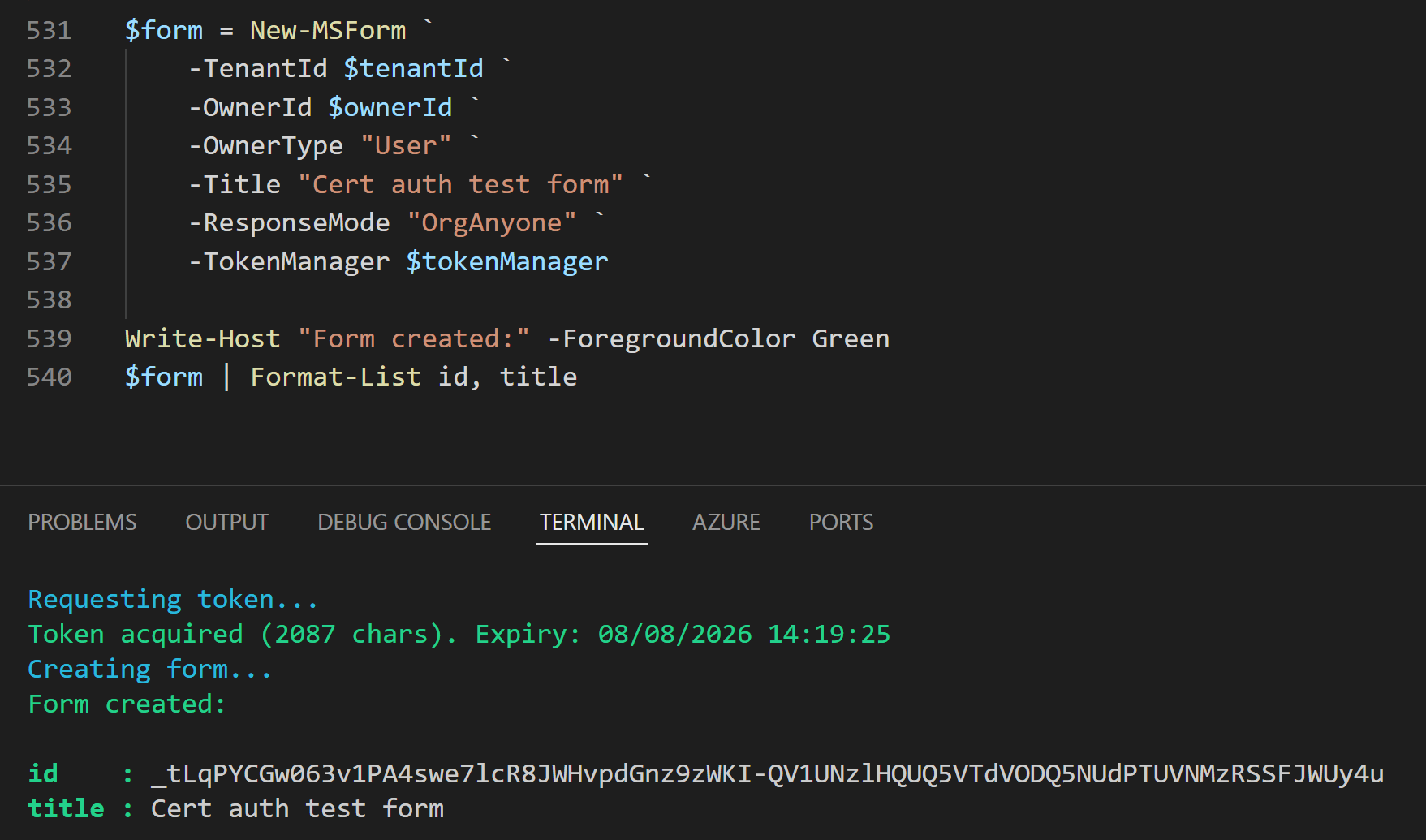
With write scopes in place and a token manager that can handle whichever auth flow we need, we can create a form. Here’s New-MSForm:
function New-MSForm {
[CmdletBinding()]
param (
[Parameter(Mandatory = $true)]
[ValidateScript({ ![string]::IsNullOrWhiteSpace($_) })]
[string]$TenantId,
[Parameter(Mandatory = $true)]
[ValidateScript({ ![string]::IsNullOrWhiteSpace($_) })]
[string]$OwnerId,
[Parameter(Mandatory = $true)]
[ValidateSet("User", "Group")]
[string]$OwnerType,
[Parameter(Mandatory = $false)]
[ValidateScript({ ![string]::IsNullOrWhiteSpace($_) })]
[string]$Title = "Untitled form",
[Parameter(Mandatory = $true)]
[ValidateSet("Anyone", "OrgAnyone", "OrgSpecific")]
[string]$ResponseMode,
[Parameter(Mandatory = $true)]
[ValidateNotNull()]
[TokenManager]$TokenManager,
[Parameter(Mandatory = $false)]
[switch]$RequiresUniqueResponse,
[Parameter(Mandatory = $false)]
[switch]$NotRecordIdentity,
[Parameter(Mandatory = $false)]
[bool]$ProgressBarEnabled = $false,
[Parameter(Mandatory = $false)]
[ValidateNotNullOrEmpty()]
[string[]]$SpecificResponders
)
begin {
$IsAnonymous = $false
switch ($ResponseMode) {
"Anyone" {
$IsAnonymous = $true
$RequiresUniqueResponse = $false
$NotRecordIdentity = $false
if ($PSBoundParameters.ContainsKey('RequiresUniqueResponse')) {
throw "RequiresUniqueResponse cannot be set for Anyone mode"
}
if ($PSBoundParameters.ContainsKey('NotRecordIdentity')) {
throw "NotRecordIdentity cannot be set for Anyone mode"
}
}
}
$ownerContext = switch ($OwnerType) {
"User" { "users" }
"Group" { "groups" }
}
$endpoint = "https://forms.cloud.microsoft/formapi/api/$TenantId/$ownerContext/$OwnerId/forms"
$settings = @{
RequiresUniqueResponse = [bool]$RequiresUniqueResponse
IsAnonymous = [bool]$IsAnonymous
NotRecordIdentity = [bool]$NotRecordIdentity
IsQuizMode = $false.ToString().ToLowerInvariant()
PermissionForResponder = 1
}
$body = @{
settings = ($settings | ConvertTo-Json -Compress)
ownerId = $OwnerId
ownerTenantId = $TenantId
progressBarEnabled = $ProgressBarEnabled.ToString().ToLowerInvariant()
title = $Title
}
}
process {
try {
Write-Verbose "Creating new Microsoft Form titled '$Title'..."
$formCreateResponse = Invoke-HttpRequestWithToken -Method POST -Uri $endpoint -TokenManager $TokenManager -Body $body
}
catch {
throw "Failed to create form: $($_.Exception.Message)"
}
if ($ResponseMode -eq "OrgSpecific" -and $PSBoundParameters.ContainsKey('SpecificResponders')) {
try {
Write-Verbose "Setting specific responder permissions..."
Set-MSFormResponderPermissions `
-TenantId $TenantId `
-OwnerId $OwnerId `
-OwnerType $OwnerType `
-FormId $formCreateResponse.id `
-Users $SpecificResponders `
-TokenManager $TokenManager
}
catch {
Write-Host "Failed to add users to form: $($_.Exception.Message)" -ForegroundColor Red
}
}
}
end {
return $formCreateResponse
}
}Understanding the parameters
ResponseMode is the one that matters most — it maps onto the same “who can fill this in” choices you’d see in the Forms UI:
- Anyone — a public, anonymous link. No sign-in required, no identity recorded.
- OrgAnyone — anyone signed into your organisation’s tenant can respond.
- OrgSpecific — only named individuals can respond, passed via
SpecificResponders.
RequiresUniqueResponse restricts each respondent to a single submission, and NotRecordIdentity stops the form from recording who submitted a response even though they had to sign in to access it. Both only make sense for OrgAnyone or OrgSpecific forms — the function throws if you try to set either alongside Anyone, since an anonymous form has no identity to de-duplicate or record in the first place.
Example Usages
All three examples below assume a v1-resource token, since the create endpoint is one of the ones that still wants a resource-flavoured token:
$tokenManager = [TokenManager]::FromClientSecretWithResource(
"<tenant id>",
"<client id>",
"<client secret>",
"https://forms.cloud.microsoft/.default",
"api://forms.cloud.microsoft/c9a559d2-7aab-4f13-a6ed-e7e9c52aec87"
)Example 1: Public form
Anyone with the link can respond — no sign-in, no identity recorded:
New-MSForm `
-TenantId "<tenant id>" `
-OwnerId "<entra object id>" `
-OwnerType "User" `
-Title "Customer Feedback" `
-ResponseMode "Anyone" `
-TokenManager $tokenManagerExample 2: Anyone in the organisation
Anyone signed into the tenant can respond, and we’re limiting each person to one response:
New-MSForm `
-TenantId "<tenant id>" `
-OwnerId "<entra object id>" `
-OwnerType "User" `
-Title "Staff Survey" `
-ResponseMode "OrgAnyone" `
-RequiresUniqueResponse `
-TokenManager $tokenManagerExample 3: Specific people only
Only the named respondents can access the form:
New-MSForm `
-TenantId "<tenant id>" `
-OwnerId "<entra object id>" `
-OwnerType "User" `
-Title "Leadership Team Review" `
-ResponseMode "OrgSpecific" `
-SpecificResponders @("[email protected]", "[email protected]") `
-TokenManager $tokenManagerUpdating Form Details
From here on, every function needs the same four pieces of context — TenantId, OwnerId, OwnerType and FormId — to build the form’s endpoint. Rather than repeating that construction in every function, I’ve pulled it into one small helper that the rest of the library calls internally:
function Get-MSFormEndpoint {
[CmdletBinding()]
param (
[Parameter(Mandatory)] [string]$TenantId,
[Parameter(Mandatory)] [string]$OwnerId,
[Parameter(Mandatory)] [ValidateSet("User", "Group")] [string]$OwnerType,
[Parameter(Mandatory)] [string]$FormId
)
$ownerContext = switch ($OwnerType) {
"User" { "users" }
"Group" { "groups" }
}
return "https://forms.cloud.microsoft/formapi/api/$TenantId/$ownerContext/$OwnerId/forms('$FormId')"
}A form created with New-MSForm has a title but no description. Both are set with a PATCH straight to the form’s own resource URL — and interestingly, they’re captured as two separate requests rather than one combined update, so the functions below keep that split rather than merging them. I’m keeping the generic Invoke-HttpRequestWithToken helper from earlier in the post too — every function below is really just a thin, validated wrapper around it:
function Update-MSFormTitle {
[CmdletBinding()]
param (
[Parameter(Mandatory)] [string]$TenantId,
[Parameter(Mandatory)] [string]$OwnerId,
[Parameter(Mandatory)] [ValidateSet("User", "Group")] [string]$OwnerType,
[Parameter(Mandatory)] [string]$FormId,
[Parameter(Mandatory)] [string]$Title,
[Parameter(Mandatory)] [TokenManager]$TokenManager
)
$endpoint = Get-MSFormEndpoint -TenantId $TenantId -OwnerId $OwnerId -OwnerType $OwnerType -FormId $FormId
return Invoke-HttpRequestWithToken -Method PATCH -Uri $endpoint -TokenManager $TokenManager -Body @{
title = $Title
formsProRTTitle = $Title
}
}
function Update-MSFormDescription {
[CmdletBinding()]
param (
[Parameter(Mandatory)] [string]$TenantId,
[Parameter(Mandatory)] [string]$OwnerId,
[Parameter(Mandatory)] [ValidateSet("User", "Group")] [string]$OwnerType,
[Parameter(Mandatory)] [string]$FormId,
[Parameter(Mandatory)] [string]$Description,
[Parameter(Mandatory)] [TokenManager]$TokenManager
)
$endpoint = Get-MSFormEndpoint -TenantId $TenantId -OwnerId $OwnerId -OwnerType $OwnerType -FormId $FormId
return Invoke-HttpRequestWithToken -Method PATCH -Uri $endpoint -TokenManager $TokenManager -Body @{
description = $Description
formsProRTDescription = $Description
}
}The duplicated title/formsProRTTitle and description/formsProRTDescription pairs aren’t a typo — the Forms web app writes both every time. Why isn’t clear from the captures alone; the “RT” naming hints at something rich-text-related, but that’s a guess rather than a confirmed reason, so both are set here to keep the two fields in sync regardless.
Update-MSFormTitle -TenantId $tenantId -OwnerId $ownerId -OwnerType "User" -FormId $formId -Title "My Updated Form Title" -TokenManager $tokenManager
Update-MSFormDescription -TenantId $tenantId -OwnerId $ownerId -OwnerType "User" -FormId $formId -Description "A short description of what this form is for." -TokenManager $tokenManagerAdding Questions to Your Form
Every question type follows the same two-step pattern under the hood: POST to the form’s questions collection to create a question, then PATCH the specific question to reconfigure it later if needed. The functions below wrap both steps — an Add-MSForm*Question function that creates a fully-configured question in one call, and an Update-MSForm*Question function for editing it afterwards.
Three quirks the functions handle for you, worth knowing about anyway:
- The question’s
idis chosen by the client, not returned by the server — the Forms web app generates a token liker61e46485c47f41c0b62760fb1e2bdcc5(an “r” prefix followed by a random hex string) and sends it in the create request. EachAdd-function below generates one with"r" + [guid]::NewGuid().ToString("N"). - The
orderfield jumps in increments of roughly 1,000,000 per question (1000500, 2000500, 3000500…) rather than counting up by one. That’s a sparse ordering scheme — it leaves enormous gaps so questions can be reordered or inserted later without renumbering everything else. Each function below defaultsOrderto its own slot in that scheme, but takes it as a parameter so you can override it. - The body that configures a question is doubly-encoded: the outer request body is a normal object, but the
questionInfofield inside it is itself a JSON string, not a nested object. Every function builds this withConvertTo-Json -Compresson an inner hashtable.
Choice questions
function Add-MSFormChoiceQuestion {
[CmdletBinding()]
param (
[Parameter(Mandatory)] [string]$TenantId,
[Parameter(Mandatory)] [string]$OwnerId,
[Parameter(Mandatory)] [ValidateSet("User", "Group")] [string]$OwnerType,
[Parameter(Mandatory)] [string]$FormId,
[Parameter(Mandatory)] [string]$Title,
[Parameter(Mandatory)] [string[]]$Choices,
[switch]$AllowMultipleAnswers,
[switch]$AllowOtherAnswer,
[switch]$ShuffleOptions,
[switch]$Required,
[ValidateSet("None", "Exactly", "AtMost")] [string]$RestrictionType = "None",
[int]$RestrictionValue,
[int]$Order = 1000500,
[Parameter(Mandatory)] [TokenManager]$TokenManager
)
$questionsEndpoint = (Get-MSFormEndpoint -TenantId $TenantId -OwnerId $OwnerId -OwnerType $OwnerType -FormId $FormId) + "/questions"
$questionInfo = @{
Choices = @($Choices | ForEach-Object { @{ Description = $_; IsGenerated = $true } })
ChoiceType = if ($AllowMultipleAnswers) { 2 } else { 1 }
AllowOtherAnswer = [bool]$AllowOtherAnswer
ShuffleOptions = [bool]$ShuffleOptions
OptionDisplayStyle = "ListAll"
ChoiceRestrictionType = $RestrictionType
}
if ($RestrictionType -ne "None") {
$questionInfo["ChoiceRestrictionValue"] = $RestrictionValue
}
return Invoke-HttpRequestWithToken -Method POST -Uri $questionsEndpoint -TokenManager $TokenManager -Body @{
type = "Question.Choice"
title = $Title
id = "r" + [guid]::NewGuid().ToString("N")
order = $Order
isQuiz = $false
required = [bool]$Required
questionInfo = ($questionInfo | ConvertTo-Json -Compress)
}
}
function Update-MSFormChoiceQuestion {
[CmdletBinding()]
param (
[Parameter(Mandatory)] [string]$TenantId,
[Parameter(Mandatory)] [string]$OwnerId,
[Parameter(Mandatory)] [ValidateSet("User", "Group")] [string]$OwnerType,
[Parameter(Mandatory)] [string]$FormId,
[Parameter(Mandatory)] [string]$QuestionId,
[Parameter(Mandatory)] [string[]]$Choices,
[switch]$AllowMultipleAnswers,
[switch]$AllowOtherAnswer,
[switch]$ShuffleOptions,
[switch]$Required,
[ValidateSet("None", "Exactly", "AtMost")] [string]$RestrictionType = "None",
[int]$RestrictionValue,
[Parameter(Mandatory)] [TokenManager]$TokenManager
)
$questionEndpoint = (Get-MSFormEndpoint -TenantId $TenantId -OwnerId $OwnerId -OwnerType $OwnerType -FormId $FormId) + "/questions('$QuestionId')"
$questionInfo = @{
Choices = @($Choices | ForEach-Object { @{ Description = $_; IsGenerated = $true } })
ChoiceType = if ($AllowMultipleAnswers) { 2 } else { 1 }
AllowOtherAnswer = [bool]$AllowOtherAnswer
ShuffleOptions = [bool]$ShuffleOptions
OptionDisplayStyle = "ListAll"
ChoiceRestrictionType = $RestrictionType
}
if ($RestrictionType -ne "None") {
$questionInfo["ChoiceRestrictionValue"] = $RestrictionValue
}
return Invoke-HttpRequestWithToken -Method PATCH -Uri $questionEndpoint -TokenManager $TokenManager -Body @{
required = [bool]$Required
questionInfo = ($questionInfo | ConvertTo-Json -Compress)
}
}ChoiceType is 1 for single-select and 2 for multiple-select, which is why the functions derive it from the -AllowMultipleAnswers switch rather than taking it directly. RestrictionType can be None, Exactly, or AtMost, paired with RestrictionValue to cap how many options can be picked. To reorder options, just call Update-MSFormChoiceQuestion again with -Choices in the order you want — unlike ranking questions (below), there’s no separate per-choice endpoint here.
$choiceQuestion = Add-MSFormChoiceQuestion -TenantId $tenantId -OwnerId $ownerId -OwnerType "User" -FormId $formId `
-Title "Which product did you purchase?" -Choices @("Option 1", "Option 2") -TokenManager $tokenManager
Update-MSFormChoiceQuestion -TenantId $tenantId -OwnerId $ownerId -OwnerType "User" -FormId $formId -QuestionId $choiceQuestion.id `
-Choices @("Option 1", "Option 2", "Option 3") -AllowMultipleAnswers -AllowOtherAnswer -ShuffleOptions -Required `
-RestrictionType "Exactly" -RestrictionValue 2 -TokenManager $tokenManagerText Field questions
Text fields can also carry a validation rule. The rule codes aren’t documented anywhere, so here’s the reverse-engineered map Update-MSFormTextFieldQuestion is built around:
- 0 —
IsNumber— must be a number - 1 —
Greater— greater thanMinBoundary - 2 —
GreaterOrEqual— greater than or equal toMinBoundary - 3 —
Less— less thanMaxBoundary - 4 —
LessOrEqual— less than or equal toMaxBoundary - 5 —
Equal— equal toMinBoundary(reuses the min-boundary field for the single comparison value) - 6 —
NotEqual— not equal toMinBoundary - 7 —
Between— betweenMinBoundaryandMaxBoundary - 8 —
NotBetween— outsideMinBoundaryandMaxBoundary - 9 — maximum text length, via
MaxBoundary - 10 — minimum text length, via
MinBoundary - 11 — must be a valid email address
- 12 —
Contains— text must containTextInput - 13 —
DoesntContain— text must not containTextInput - 14 — must be a valid URL
- 15 —
WholeNumber— must be a whole number
function Add-MSFormTextFieldQuestion {
[CmdletBinding()]
param (
[Parameter(Mandatory)] [string]$TenantId,
[Parameter(Mandatory)] [string]$OwnerId,
[Parameter(Mandatory)] [ValidateSet("User", "Group")] [string]$OwnerType,
[Parameter(Mandatory)] [string]$FormId,
[Parameter(Mandatory)] [string]$Title,
[switch]$Multiline,
[switch]$Required,
[int]$Order = 2000500,
[Parameter(Mandatory)] [TokenManager]$TokenManager
)
$questionsEndpoint = (Get-MSFormEndpoint -TenantId $TenantId -OwnerId $OwnerId -OwnerType $OwnerType -FormId $FormId) + "/questions"
return Invoke-HttpRequestWithToken -Method POST -Uri $questionsEndpoint -TokenManager $TokenManager -Body @{
type = "Question.TextField"
title = $Title
id = "r" + [guid]::NewGuid().ToString("N")
order = $Order
isQuiz = $false
required = [bool]$Required
questionInfo = (@{ Multiline = [bool]$Multiline } | ConvertTo-Json -Compress)
}
}
function Update-MSFormTextFieldQuestion {
[CmdletBinding()]
param (
[Parameter(Mandatory)] [string]$TenantId,
[Parameter(Mandatory)] [string]$OwnerId,
[Parameter(Mandatory)] [ValidateSet("User", "Group")] [string]$OwnerType,
[Parameter(Mandatory)] [string]$FormId,
[Parameter(Mandatory)] [string]$QuestionId,
[switch]$Multiline,
[ValidateRange(0, 15)] [int]$ValidationRule = -1,
[double]$MinBoundary,
[double]$MaxBoundary,
[string]$TextInput,
[Parameter(Mandatory)] [TokenManager]$TokenManager
)
$questionEndpoint = (Get-MSFormEndpoint -TenantId $TenantId -OwnerId $OwnerId -OwnerType $OwnerType -FormId $FormId) + "/questions('$QuestionId')"
$questionInfo = @{
Multiline = [bool]$Multiline
GradingBasis = 0
IsAnswerPlainText = $true
IsMathInputDefault = $false
InputSwitcherDisabled = $false
}
if ($ValidationRule -ge 0) {
$questionInfo["NumberValidation"] = @{
NumberValidationRule = $ValidationRule
NumberMinBoundary = $MinBoundary
NumberMaxBoundary = $MaxBoundary
TextInput = $TextInput
}
}
return Invoke-HttpRequestWithToken -Method PATCH -Uri $questionEndpoint -TokenManager $TokenManager -Body @{
questionInfo = ($questionInfo | ConvertTo-Json -Compress)
}
}Creating a short-answer question, then switching it to long-answer and restricting it to a whole number between 1 and 100:
$textQuestion = Add-MSFormTextFieldQuestion -TenantId $tenantId -OwnerId $ownerId -OwnerType "User" -FormId $formId `
-Title "What's your favourite feature?" -TokenManager $tokenManager
Update-MSFormTextFieldQuestion -TenantId $tenantId -OwnerId $ownerId -OwnerType "User" -FormId $formId -QuestionId $textQuestion.id `
-Multiline -ValidationRule 7 -MinBoundary 1 -MaxBoundary 100 -TokenManager $tokenManagerRating questions
function Add-MSFormRatingQuestion {
[CmdletBinding()]
param (
[Parameter(Mandatory)] [string]$TenantId,
[Parameter(Mandatory)] [string]$OwnerId,
[Parameter(Mandatory)] [ValidateSet("User", "Group")] [string]$OwnerType,
[Parameter(Mandatory)] [string]$FormId,
[Parameter(Mandatory)] [string]$Title,
[ValidateRange(2, 10)] [int]$Length = 5,
[ValidateSet("Star", "Number", "Heart", "Ribbon", "ThumbLike", "SmileFace", "Flag", "Lightbulb", "Trophy", "CheckMark")]
[string]$RatingShape = "Star",
[int]$Order = 3000500,
[Parameter(Mandatory)] [TokenManager]$TokenManager
)
$questionsEndpoint = (Get-MSFormEndpoint -TenantId $TenantId -OwnerId $OwnerId -OwnerType $OwnerType -FormId $FormId) + "/questions"
return Invoke-HttpRequestWithToken -Method POST -Uri $questionsEndpoint -TokenManager $TokenManager -Body @{
type = "Question.Rating"
title = $Title
id = "r" + [guid]::NewGuid().ToString("N")
order = $Order
isQuiz = $false
questionInfo = (@{ Length = $Length; RatingShape = $RatingShape } | ConvertTo-Json -Compress)
}
}
function Update-MSFormRatingQuestion {
[CmdletBinding()]
param (
[Parameter(Mandatory)] [string]$TenantId,
[Parameter(Mandatory)] [string]$OwnerId,
[Parameter(Mandatory)] [ValidateSet("User", "Group")] [string]$OwnerType,
[Parameter(Mandatory)] [string]$FormId,
[Parameter(Mandatory)] [string]$QuestionId,
[ValidateRange(2, 10)] [int]$Length = 5,
[ValidateSet("Star", "Number", "Heart", "Ribbon", "ThumbLike", "SmileFace", "Flag", "Lightbulb", "Trophy", "CheckMark")]
[string]$RatingShape = "Star",
[switch]$ShowRatingLabel,
[string]$LeftDescription,
[string]$RightDescription,
[Parameter(Mandatory)] [TokenManager]$TokenManager
)
$questionEndpoint = (Get-MSFormEndpoint -TenantId $TenantId -OwnerId $OwnerId -OwnerType $OwnerType -FormId $FormId) + "/questions('$QuestionId')"
return Invoke-HttpRequestWithToken -Method PATCH -Uri $questionEndpoint -TokenManager $TokenManager -Body @{
questionInfo = (@{
Length = $Length
RatingShape = $RatingShape
ShowRatingLabel = [bool]$ShowRatingLabel
LeftDescription = $LeftDescription
RightDescription = $RightDescription
} | ConvertTo-Json -Compress)
}
}$ratingQuestion = Add-MSFormRatingQuestion -TenantId $tenantId -OwnerId $ownerId -OwnerType "User" -FormId $formId `
-Title "How would you rate our service?" -TokenManager $tokenManager
Update-MSFormRatingQuestion -TenantId $tenantId -OwnerId $ownerId -OwnerType "User" -FormId $formId -QuestionId $ratingQuestion.id `
-Length 10 -RatingShape "Number" -ShowRatingLabel -LeftDescription "Not likely" -RightDescription "Very likely" -TokenManager $tokenManagerDate questions
function Add-MSFormDateQuestion {
[CmdletBinding()]
param (
[Parameter(Mandatory)] [string]$TenantId,
[Parameter(Mandatory)] [string]$OwnerId,
[Parameter(Mandatory)] [ValidateSet("User", "Group")] [string]$OwnerType,
[Parameter(Mandatory)] [string]$FormId,
[Parameter(Mandatory)] [string]$Title,
[string]$Subtitle,
[switch]$Required,
[int]$Order = 4000500,
[Parameter(Mandatory)] [TokenManager]$TokenManager
)
$questionsEndpoint = (Get-MSFormEndpoint -TenantId $TenantId -OwnerId $OwnerId -OwnerType $OwnerType -FormId $FormId) + "/questions"
return Invoke-HttpRequestWithToken -Method POST -Uri $questionsEndpoint -TokenManager $TokenManager -Body @{
type = "Question.DateTime"
title = $Title
subtitle = $Subtitle
id = "r" + [guid]::NewGuid().ToString("N")
order = $Order
isQuiz = $false
required = [bool]$Required
questionInfo = (@{} | ConvertTo-Json -Compress)
}
}
function Update-MSFormDateQuestion {
[CmdletBinding()]
param (
[Parameter(Mandatory)] [string]$TenantId,
[Parameter(Mandatory)] [string]$OwnerId,
[Parameter(Mandatory)] [ValidateSet("User", "Group")] [string]$OwnerType,
[Parameter(Mandatory)] [string]$FormId,
[Parameter(Mandatory)] [string]$QuestionId,
[string]$Subtitle,
[switch]$Required,
[Parameter(Mandatory)] [TokenManager]$TokenManager
)
$questionEndpoint = (Get-MSFormEndpoint -TenantId $TenantId -OwnerId $OwnerId -OwnerType $OwnerType -FormId $FormId) + "/questions('$QuestionId')"
return Invoke-HttpRequestWithToken -Method PATCH -Uri $questionEndpoint -TokenManager $TokenManager -Body @{
subtitle = $Subtitle
required = [bool]$Required
}
}Add-MSFormDateQuestion -TenantId $tenantId -OwnerId $ownerId -OwnerType "User" -FormId $formId `
-Title "When did you make your purchase?" -Subtitle "Approximate date is fine" -Required -TokenManager $tokenManagerRanking questions
Ranking questions behave differently from Choice questions — choices live under their own sub-resource, and reordering them means patching individual choices rather than resending the whole list, so they get their own dedicated functions:
function Add-MSFormRankingQuestion {
[CmdletBinding()]
param (
[Parameter(Mandatory)] [string]$TenantId,
[Parameter(Mandatory)] [string]$OwnerId,
[Parameter(Mandatory)] [ValidateSet("User", "Group")] [string]$OwnerType,
[Parameter(Mandatory)] [string]$FormId,
[Parameter(Mandatory)] [string]$Title,
[switch]$AllowMultipleValues,
[switch]$Required,
[int]$Order = 5000500,
[Parameter(Mandatory)] [TokenManager]$TokenManager
)
$questionsEndpoint = (Get-MSFormEndpoint -TenantId $TenantId -OwnerId $OwnerId -OwnerType $OwnerType -FormId $FormId) + "/questions"
return Invoke-HttpRequestWithToken -Method POST -Uri $questionsEndpoint -TokenManager $TokenManager -Body @{
type = "Question.Ranking"
title = $Title
id = "r" + [guid]::NewGuid().ToString("N")
order = $Order
isQuiz = $false
required = [bool]$Required
questionInfo = (@{ AllowMultipleValues = [bool]$AllowMultipleValues } | ConvertTo-Json -Compress)
}
}
function Add-MSFormRankingChoice {
[CmdletBinding()]
param (
[Parameter(Mandatory)] [string]$TenantId,
[Parameter(Mandatory)] [string]$OwnerId,
[Parameter(Mandatory)] [ValidateSet("User", "Group")] [string]$OwnerType,
[Parameter(Mandatory)] [string]$FormId,
[Parameter(Mandatory)] [string]$QuestionId,
[Parameter(Mandatory)] [string]$Description,
[Parameter(Mandatory)] [int]$Order,
[Parameter(Mandatory)] [TokenManager]$TokenManager
)
$choicesEndpoint = (Get-MSFormEndpoint -TenantId $TenantId -OwnerId $OwnerId -OwnerType $OwnerType -FormId $FormId) + "/questions('$QuestionId')/choices"
return Invoke-HttpRequestWithToken -Method POST -Uri $choicesEndpoint -TokenManager $TokenManager -Body @{
Description = $Description
order = $Order
}
}
function Set-MSFormRankingChoiceOrder {
[CmdletBinding()]
param (
[Parameter(Mandatory)] [string]$TenantId,
[Parameter(Mandatory)] [string]$OwnerId,
[Parameter(Mandatory)] [ValidateSet("User", "Group")] [string]$OwnerType,
[Parameter(Mandatory)] [string]$FormId,
[Parameter(Mandatory)] [string]$QuestionId,
[Parameter(Mandatory)] [int]$ChoiceIndex,
[Parameter(Mandatory)] [int]$NewOrder,
[Parameter(Mandatory)] [TokenManager]$TokenManager
)
$choiceEndpoint = (Get-MSFormEndpoint -TenantId $TenantId -OwnerId $OwnerId -OwnerType $OwnerType -FormId $FormId) + "/questions('$QuestionId')/choices($ChoiceIndex)"
return Invoke-HttpRequestWithToken -Method PATCH -Uri $choiceEndpoint -TokenManager $TokenManager -Body @{ order = $NewOrder }
}
function Remove-MSFormRankingChoice {
[CmdletBinding(SupportsShouldProcess)]
param (
[Parameter(Mandatory)] [string]$TenantId,
[Parameter(Mandatory)] [string]$OwnerId,
[Parameter(Mandatory)] [ValidateSet("User", "Group")] [string]$OwnerType,
[Parameter(Mandatory)] [string]$FormId,
[Parameter(Mandatory)] [string]$QuestionId,
[Parameter(Mandatory)] [int]$ChoiceIndex,
[Parameter(Mandatory)] [TokenManager]$TokenManager
)
$choiceEndpoint = (Get-MSFormEndpoint -TenantId $TenantId -OwnerId $OwnerId -OwnerType $OwnerType -FormId $FormId) + "/questions('$QuestionId')/choices($ChoiceIndex)"
if ($PSCmdlet.ShouldProcess($choiceEndpoint, "Delete ranking choice")) {
return Invoke-HttpRequestWithToken -Method DELETE -Uri $choiceEndpoint -TokenManager $TokenManager
}
}$rankingQuestion = Add-MSFormRankingQuestion -TenantId $tenantId -OwnerId $ownerId -OwnerType "User" -FormId $formId `
-Title "Rank these features by importance" -Required -TokenManager $tokenManager
Add-MSFormRankingChoice -TenantId $tenantId -OwnerId $ownerId -OwnerType "User" -FormId $formId -QuestionId $rankingQuestion.id -Description "Speed" -Order 1 -TokenManager $tokenManager
Add-MSFormRankingChoice -TenantId $tenantId -OwnerId $ownerId -OwnerType "User" -FormId $formId -QuestionId $rankingQuestion.id -Description "Reliability" -Order 2 -TokenManager $tokenManager
Set-MSFormRankingChoiceOrder -TenantId $tenantId -OwnerId $ownerId -OwnerType "User" -FormId $formId -QuestionId $rankingQuestion.id -ChoiceIndex 1 -NewOrder 2 -TokenManager $tokenManager
Set-MSFormRankingChoiceOrder -TenantId $tenantId -OwnerId $ownerId -OwnerType "User" -FormId $formId -QuestionId $rankingQuestion.id -ChoiceIndex 2 -NewOrder 1 -TokenManager $tokenManagerLikert (matrix) questions
Likert questions are the odd one out structurally — a “group” question holds the response scale (the columns), and each row statement is actually its own separate question object linked back to the group via groupId. That structure carries straight through into the functions:
function Add-MSFormLikertQuestion {
[CmdletBinding()]
param (
[Parameter(Mandatory)] [string]$TenantId,
[Parameter(Mandatory)] [string]$OwnerId,
[Parameter(Mandatory)] [ValidateSet("User", "Group")] [string]$OwnerType,
[Parameter(Mandatory)] [string]$FormId,
[Parameter(Mandatory)] [string]$Title,
[int]$Order = 6000500,
[Parameter(Mandatory)] [TokenManager]$TokenManager
)
$questionsEndpoint = (Get-MSFormEndpoint -TenantId $TenantId -OwnerId $OwnerId -OwnerType $OwnerType -FormId $FormId) + "/questions"
return Invoke-HttpRequestWithToken -Method POST -Uri $questionsEndpoint -TokenManager $TokenManager -Body @{
type = "Question.MatrixChoiceGroup"
title = $Title
id = "r" + [guid]::NewGuid().ToString("N")
order = $Order
isQuiz = $false
questionInfo = (@{} | ConvertTo-Json -Compress)
}
}
function Add-MSFormLikertChoice {
[CmdletBinding()]
param (
[Parameter(Mandatory)] [string]$TenantId,
[Parameter(Mandatory)] [string]$OwnerId,
[Parameter(Mandatory)] [ValidateSet("User", "Group")] [string]$OwnerType,
[Parameter(Mandatory)] [string]$FormId,
[Parameter(Mandatory)] [string]$GroupId,
[Parameter(Mandatory)] [string]$Description,
[Parameter(Mandatory)] [TokenManager]$TokenManager
)
$choicesEndpoint = (Get-MSFormEndpoint -TenantId $TenantId -OwnerId $OwnerId -OwnerType $OwnerType -FormId $FormId) + "/questions('$GroupId')/choices"
return Invoke-HttpRequestWithToken -Method POST -Uri $choicesEndpoint -TokenManager $TokenManager -Body @{ Description = $Description }
}
function Add-MSFormLikertStatement {
[CmdletBinding()]
param (
[Parameter(Mandatory)] [string]$TenantId,
[Parameter(Mandatory)] [string]$OwnerId,
[Parameter(Mandatory)] [ValidateSet("User", "Group")] [string]$OwnerType,
[Parameter(Mandatory)] [string]$FormId,
[Parameter(Mandatory)] [string]$GroupId,
[Parameter(Mandatory)] [string]$Title,
[int]$Order = 7000500,
[Parameter(Mandatory)] [TokenManager]$TokenManager
)
$questionsEndpoint = (Get-MSFormEndpoint -TenantId $TenantId -OwnerId $OwnerId -OwnerType $OwnerType -FormId $FormId) + "/questions"
return Invoke-HttpRequestWithToken -Method POST -Uri $questionsEndpoint -TokenManager $TokenManager -Body @{
type = "Question.MatrixChoice"
title = $Title
id = "r" + [guid]::NewGuid().ToString("N")
order = $Order
isQuiz = $false
groupId = $GroupId
questionInfo = (@{} | ConvertTo-Json -Compress)
}
}
function Remove-MSFormLikertStatement {
[CmdletBinding(SupportsShouldProcess)]
param (
[Parameter(Mandatory)] [string]$TenantId,
[Parameter(Mandatory)] [string]$OwnerId,
[Parameter(Mandatory)] [ValidateSet("User", "Group")] [string]$OwnerType,
[Parameter(Mandatory)] [string]$FormId,
[Parameter(Mandatory)] [string]$StatementId,
[Parameter(Mandatory)] [TokenManager]$TokenManager
)
$endpoint = (Get-MSFormEndpoint -TenantId $TenantId -OwnerId $OwnerId -OwnerType $OwnerType -FormId $FormId) + "/questions('$StatementId')"
if ($PSCmdlet.ShouldProcess($endpoint, "Delete Likert statement")) {
return Invoke-HttpRequestWithToken -Method DELETE -Uri $endpoint -TokenManager $TokenManager
}
}
function Remove-MSFormLikertChoice {
[CmdletBinding(SupportsShouldProcess)]
param (
[Parameter(Mandatory)] [string]$TenantId,
[Parameter(Mandatory)] [string]$OwnerId,
[Parameter(Mandatory)] [ValidateSet("User", "Group")] [string]$OwnerType,
[Parameter(Mandatory)] [string]$FormId,
[Parameter(Mandatory)] [string]$GroupId,
[Parameter(Mandatory)] [int]$ChoiceIndex,
[Parameter(Mandatory)] [TokenManager]$TokenManager
)
$endpoint = (Get-MSFormEndpoint -TenantId $TenantId -OwnerId $OwnerId -OwnerType $OwnerType -FormId $FormId) + "/questions('$GroupId')/choices($ChoiceIndex)"
if ($PSCmdlet.ShouldProcess($endpoint, "Delete Likert choice column")) {
return Invoke-HttpRequestWithToken -Method DELETE -Uri $endpoint -TokenManager $TokenManager
}
}$likertGroup = Add-MSFormLikertQuestion -TenantId $tenantId -OwnerId $ownerId -OwnerType "User" -FormId $formId `
-Title "How satisfied are you with the following?" -TokenManager $tokenManager
Add-MSFormLikertChoice -TenantId $tenantId -OwnerId $ownerId -OwnerType "User" -FormId $formId -GroupId $likertGroup.id -Description "Very satisfied" -TokenManager $tokenManager
Add-MSFormLikertStatement -TenantId $tenantId -OwnerId $ownerId -OwnerType "User" -FormId $formId -GroupId $likertGroup.id -Title "Response time" -TokenManager $tokenManagerFile Upload questions
File Upload follows the same generic-create-then-configure pattern as Date, NPS and the Likert group — questionInfo is empty on creation, and file count, size and type restrictions are set afterwards through Update-MSFormFileUploadQuestion.
function Add-MSFormFileUploadQuestion {
[CmdletBinding()]
param (
[Parameter(Mandatory)] [string]$TenantId,
[Parameter(Mandatory)] [string]$OwnerId,
[Parameter(Mandatory)] [ValidateSet("User", "Group")] [string]$OwnerType,
[Parameter(Mandatory)] [string]$FormId,
[Parameter(Mandatory)] [string]$Title,
[switch]$Required,
[string]$Subtitle,
[int]$Order = 8000500,
[Parameter(Mandatory)] [TokenManager]$TokenManager
)
$questionsEndpoint = (Get-MSFormEndpoint -TenantId $TenantId -OwnerId $OwnerId -OwnerType $OwnerType -FormId $FormId) + "/questions"
$body = @{
type = "Question.FileUpload"
title = $Title
id = "r" + [guid]::NewGuid().ToString("N")
order = $Order
isQuiz = $false
required = [bool]$Required
questionInfo = (@{} | ConvertTo-Json -Compress)
}
if ($PSBoundParameters.ContainsKey('Subtitle')) {
$body['subtitle'] = $Subtitle
}
return Invoke-HttpRequestWithToken -Method POST -Uri $questionsEndpoint -TokenManager $TokenManager -Body $body
}FileTypes has to be a nested object listing all seven file types every time, not just the ones you’re restricting to, and three fields that have nothing to do with file uploads — ShuffleOptions, ShowRatingLabel, IsMathQuiz — get sent as constant boilerplate alongside it. Leave any of that out and the request fails with the same vague, unhelpful error rather than a clear validation message.
function Update-MSFormFileUploadQuestion {
[CmdletBinding()]
param (
[Parameter(Mandatory)] [string]$TenantId,
[Parameter(Mandatory)] [string]$OwnerId,
[Parameter(Mandatory)] [ValidateSet("User", "Group")] [string]$OwnerType,
[Parameter(Mandatory)] [string]$FormId,
[Parameter(Mandatory)] [string]$QuestionId,
[int]$MaxFileCount = 1,
[int]$MaxFileSizeMB = 10,
[switch]$Required,
[string]$Subtitle,
[ValidateSet("Word", "Excel", "PowerPoint", "PDF", "Image", "Video", "Audio")]
[string[]]$AllowedFileTypes,
[Parameter(Mandatory)] [TokenManager]$TokenManager
)
$questionEndpoint = (Get-MSFormEndpoint -TenantId $TenantId -OwnerId $OwnerId -OwnerType $OwnerType -FormId $FormId) + "/questions('$QuestionId')"
$allFileTypes = @("Word", "Excel", "PowerPoint", "PDF", "Image", "Video", "Audio")
$fileTypes = @{}
foreach ($fileType in $allFileTypes) {
$fileTypes[$fileType] = if ($AllowedFileTypes) { $AllowedFileTypes -contains $fileType } else { $true }
}
$questionInfo = @{
HasSpecificFileType = [bool]$AllowedFileTypes
FileTypes = $fileTypes
MaxFileCount = $MaxFileCount
MaxFileSize = $MaxFileSizeMB
ShuffleOptions = $false
ShowRatingLabel = $false
IsMathQuiz = $false
}
return Invoke-HttpRequestWithToken -Method PATCH -Uri $questionEndpoint -TokenManager $TokenManager -Body @{
required = [bool]$Required
subtitle = $Subtitle
questionInfo = ($questionInfo | ConvertTo-Json -Compress)
}
}MaxFileSizeMB maps straight onto the API’s MaxFileSize, which is in MB — so 1GB is -MaxFileSizeMB 1000:
$uploadQuestion = Add-MSFormFileUploadQuestion -TenantId $tenantId -OwnerId $ownerId -OwnerType "User" -FormId $formId `
-Title "Upload your receipt" -TokenManager $tokenManager
Update-MSFormFileUploadQuestion -TenantId $tenantId -OwnerId $ownerId -OwnerType "User" -FormId $formId -QuestionId $uploadQuestion.id `
-MaxFileCount 3 -MaxFileSizeMB 1000 -Required -Subtitle "PDF or image files only, max 3 files" -AllowedFileTypes @("PDF", "Image") -TokenManager $tokenManagerNPS (Net Promoter Score) questions
NPS is the only question type that ships with a non-generic default title baked into the Forms UI, so Add-MSFormNPSQuestion defaults to it too:
function Add-MSFormNPSQuestion {
[CmdletBinding()]
param (
[Parameter(Mandatory)] [string]$TenantId,
[Parameter(Mandatory)] [string]$OwnerId,
[Parameter(Mandatory)] [ValidateSet("User", "Group")] [string]$OwnerType,
[Parameter(Mandatory)] [string]$FormId,
[string]$Title = "How likely are you to recommend us to a friend or colleague?",
[string]$Subtitle,
[int]$Order = 9000500,
[Parameter(Mandatory)] [TokenManager]$TokenManager
)
$questionsEndpoint = (Get-MSFormEndpoint -TenantId $TenantId -OwnerId $OwnerId -OwnerType $OwnerType -FormId $FormId) + "/questions"
return Invoke-HttpRequestWithToken -Method POST -Uri $questionsEndpoint -TokenManager $TokenManager -Body @{
type = "Question.NPS"
title = $Title
subtitle = $Subtitle
id = "r" + [guid]::NewGuid().ToString("N")
order = $Order
isQuiz = $false
questionInfo = (@{} | ConvertTo-Json -Compress)
}
}
function Update-MSFormNPSQuestion {
[CmdletBinding()]
param (
[Parameter(Mandatory)] [string]$TenantId,
[Parameter(Mandatory)] [string]$OwnerId,
[Parameter(Mandatory)] [ValidateSet("User", "Group")] [string]$OwnerType,
[Parameter(Mandatory)] [string]$FormId,
[Parameter(Mandatory)] [string]$QuestionId,
[string]$Subtitle,
[string]$LeftDescription,
[string]$RightDescription,
[Parameter(Mandatory)] [TokenManager]$TokenManager
)
$questionEndpoint = (Get-MSFormEndpoint -TenantId $TenantId -OwnerId $OwnerId -OwnerType $OwnerType -FormId $FormId) + "/questions('$QuestionId')"
return Invoke-HttpRequestWithToken -Method PATCH -Uri $questionEndpoint -TokenManager $TokenManager -Body @{
subtitle = $Subtitle
questionInfo = (@{ LeftDescription = $LeftDescription; RightDescription = $RightDescription } | ConvertTo-Json -Compress)
}
}$npsQuestion = Add-MSFormNPSQuestion -TenantId $tenantId -OwnerId $ownerId -OwnerType "User" -FormId $formId -TokenManager $tokenManager
Update-MSFormNPSQuestion -TenantId $tenantId -OwnerId $ownerId -OwnerType "User" -FormId $formId -QuestionId $npsQuestion.id `
-Subtitle "0 = not at all likely, 10 = extremely likely" -LeftDescription "Not at all likely" -RightDescription "Extremely likely" -TokenManager $tokenManagerAdding Sections
A section turns out to follow the same pattern as every question type in this post: a generic POST to a sub-collection — descriptiveQuestions rather than questions — followed by a PATCH to fill in the details. Add-MSFormSection creates a bare placeholder section (type/title/id/order/isQuiz only, no questionInfo), and Update-MSFormSection below is what actually sets its real title and subtitle:
function Add-MSFormSection {
[CmdletBinding()]
param (
[Parameter(Mandatory)] [string]$TenantId,
[Parameter(Mandatory)] [string]$OwnerId,
[Parameter(Mandatory)] [ValidateSet("User", "Group")] [string]$OwnerType,
[Parameter(Mandatory)] [string]$FormId,
[int]$Order = 10000500,
[Parameter(Mandatory)] [TokenManager]$TokenManager
)
$sectionsEndpoint = (Get-MSFormEndpoint -TenantId $TenantId -OwnerId $OwnerId -OwnerType $OwnerType -FormId $FormId) + "/descriptiveQuestions"
return Invoke-HttpRequestWithToken -Method POST -Uri $sectionsEndpoint -TokenManager $TokenManager -Body @{
type = "Question.ColumnGroup"
title = "Section"
id = "r" + [guid]::NewGuid().ToString("N")
order = $Order
isQuiz = $false
}
}
function Update-MSFormSection {
[CmdletBinding()]
param (
[Parameter(Mandatory)] [string]$TenantId,
[Parameter(Mandatory)] [string]$OwnerId,
[Parameter(Mandatory)] [ValidateSet("User", "Group")] [string]$OwnerType,
[Parameter(Mandatory)] [string]$FormId,
[Parameter(Mandatory)] [string]$SectionId,
[Parameter(Mandatory)] [string]$Title,
[string]$Subtitle,
[int]$Order = 1500000,
[Parameter(Mandatory)] [TokenManager]$TokenManager
)
$endpoint = (Get-MSFormEndpoint -TenantId $TenantId -OwnerId $OwnerId -OwnerType $OwnerType -FormId $FormId) + "/descriptiveQuestions('$SectionId')"
$wrappedTitle = "<span>$Title</span>"
return Invoke-HttpRequestWithToken -Method PATCH -Uri $endpoint -TokenManager $TokenManager -Body @{
order = $Order
title = $wrappedTitle
formsProRTQuestionTitle = $wrappedTitle
subtitle = $Subtitle
}
}Once created, the section shows up as a descriptiveQuestions entry on the form, which is what Update-MSFormSection targets to set its title/description and move it, using the same sparse order scheme as questions.
$section = Add-MSFormSection -TenantId $tenantId -OwnerId $ownerId -OwnerType "User" -FormId $formId -TokenManager $tokenManager
Update-MSFormSection -TenantId $tenantId -OwnerId $ownerId -OwnerType "User" -FormId $formId -SectionId $section.id `
-Title "Section 2: Follow-up questions" -Subtitle "A few extra questions if you have time" -TokenManager $tokenManagerConfiguring Form Settings
Everything under the Forms “Settings” panel — who can respond, scheduling, limits, and notifications — is a PATCH to the form’s own resource URL, just with a different settings payload each time.
Who Can Respond
Set-MSFormResponseMode deliberately mirrors New-MSForm‘s ResponseMode parameter, since it’s setting the exact same three options after the fact instead of at creation time:
function Set-MSFormResponseMode {
[CmdletBinding()]
param (
[Parameter(Mandatory)] [string]$TenantId,
[Parameter(Mandatory)] [string]$OwnerId,
[Parameter(Mandatory)] [ValidateSet("User", "Group")] [string]$OwnerType,
[Parameter(Mandatory)] [string]$FormId,
[Parameter(Mandatory)] [ValidateSet("Anyone", "OrgAnyone", "OrgSpecific")] [string]$ResponseMode,
[switch]$RequiresUniqueResponse,
[switch]$NotRecordIdentity,
[string[]]$SpecificResponders,
[Parameter(Mandatory)] [TokenManager]$TokenManager
)
if ($ResponseMode -eq "Anyone" -and ($RequiresUniqueResponse -or $NotRecordIdentity)) {
throw "RequiresUniqueResponse and NotRecordIdentity cannot be set for Anyone mode"
}
$endpoint = Get-MSFormEndpoint -TenantId $TenantId -OwnerId $OwnerId -OwnerType $OwnerType -FormId $FormId
$response = Invoke-HttpRequestWithToken -Method PATCH -Uri $endpoint -TokenManager $TokenManager -Body @{
settings = (@{
RequiresUniqueResponse = [bool]$RequiresUniqueResponse
IsAnonymous = ($ResponseMode -eq "Anyone")
NotRecordIdentity = [bool]$NotRecordIdentity
} | ConvertTo-Json -Compress)
}
if ($ResponseMode -eq "OrgSpecific" -and $SpecificResponders) {
Set-MSFormResponderPermissions -TenantId $TenantId -OwnerId $OwnerId -OwnerType $OwnerType -FormId $FormId -Users $SpecificResponders -TokenManager $TokenManager
}
return $response
}
function Set-MSFormResponderPermissions {
[CmdletBinding()]
param (
[Parameter(Mandatory)] [string]$TenantId,
[Parameter(Mandatory)] [string]$OwnerId,
[Parameter(Mandatory)] [ValidateSet("User", "Group")] [string]$OwnerType,
[Parameter(Mandatory)] [string]$FormId,
[Parameter(Mandatory)] [string[]]$Users,
[Parameter(Mandatory)] [TokenManager]$TokenManager
)
$formEndpoint = Get-MSFormEndpoint -TenantId $TenantId -OwnerId $OwnerId -OwnerType $OwnerType -FormId $FormId
Invoke-HttpRequestWithToken -Method POST -Uri "$formEndpoint/responderPermissions" -TokenManager $TokenManager -Body @{
permissionSet = "DataCreator"
type = "SpecificResponder"
principalId = "SpecificResponder"
}
foreach ($user in $Users) {
Invoke-HttpRequestWithToken -Method POST -Uri "$formEndpoint/permissions" -TokenManager $TokenManager -Body @{
recipients = @(@{ email = $user })
permissionSet = "Read"
type = "ShareToPeople"
}
}
}Worth flagging: the captured responderPermissions call itself doesn’t take a list of people — its principalId is literally the string "SpecificResponder", which reads more like a mode-switch (turn on “specific responders only”) than a per-person grant. The actual list of named respondents appears to be handled separately through the same /permissions sharing endpoint used for collaborators below. I’ve combined both calls above since that matches how New-MSForm uses this function, but if your captures show something different for adding named respondents, treat that part as the least certain piece of this whole write-up. Bear in mind Forms won’t let you use Anyone mode if the form contains a File Upload question.
Set-MSFormResponseMode -TenantId $tenantId -OwnerId $ownerId -OwnerType "User" -FormId $formId `
-ResponseMode "OrgSpecific" -SpecificResponders @("[email protected]", "[email protected]") -TokenManager $tokenManagerScheduling & Access Windows
The Forms UI doesn’t let you set a schedule on a form that’s currently closed, so Set-MSFormSchedule uses parameter sets to keep “close it now” and “schedule a window” mutually exclusive:
function Set-MSFormSchedule {
[CmdletBinding(DefaultParameterSetName = "Window")]
param (
[Parameter(Mandatory)] [string]$TenantId,
[Parameter(Mandatory)] [string]$OwnerId,
[Parameter(Mandatory)] [ValidateSet("User", "Group")] [string]$OwnerType,
[Parameter(Mandatory)] [string]$FormId,
[Parameter(Mandatory, ParameterSetName = "Close")] [switch]$Close,
[Parameter(ParameterSetName = "Close")] [string]$ClosedMessage,
[Parameter(ParameterSetName = "Window")] [datetime]$StartDate,
[Parameter(ParameterSetName = "Window")] [datetime]$EndDate,
[Parameter(Mandatory)] [TokenManager]$TokenManager
)
$endpoint = Get-MSFormEndpoint -TenantId $TenantId -OwnerId $OwnerId -OwnerType $OwnerType -FormId $FormId
$settings = if ($PSCmdlet.ParameterSetName -eq "Close") {
@{ IsClosed = $true; ClosedMessage = $ClosedMessage }
}
else {
@{
IsClosed = $false
StartDate = if ($StartDate) { $StartDate.ToString("o") }
EndDate = if ($EndDate) { $EndDate.ToString("o") }
}
}
return Invoke-HttpRequestWithToken -Method PATCH -Uri $endpoint -TokenManager $TokenManager -Body @{
settings = ($settings | ConvertTo-Json -Compress)
}
}Set-MSFormSchedule -TenantId $tenantId -OwnerId $ownerId -OwnerType "User" -FormId $formId `
-Close -ClosedMessage "This form is no longer accepting responses. Thanks for your interest!" -TokenManager $tokenManager
Set-MSFormSchedule -TenantId $tenantId -OwnerId $ownerId -OwnerType "User" -FormId $formId `
-StartDate "2026-09-01T00:00:00Z" -EndDate "2026-09-30T23:59:59Z" -TokenManager $tokenManagerTimeout / Auto-Submit
function Set-MSFormTimeLimit {
[CmdletBinding()]
param (
[Parameter(Mandatory)] [string]$TenantId,
[Parameter(Mandatory)] [string]$OwnerId,
[Parameter(Mandatory)] [ValidateSet("User", "Group")] [string]$OwnerType,
[Parameter(Mandatory)] [string]$FormId,
[Parameter(Mandatory)] [int]$TimeLimitSeconds,
[Parameter(Mandatory)] [TokenManager]$TokenManager
)
$endpoint = Get-MSFormEndpoint -TenantId $TenantId -OwnerId $OwnerId -OwnerType $OwnerType -FormId $FormId
return Invoke-HttpRequestWithToken -Method PATCH -Uri $endpoint -TokenManager $TokenManager -Body @{
settings = (@{ FillOutTimeLimit = $TimeLimitSeconds } | ConvertTo-Json -Compress)
}
}Set-MSFormTimeLimit -TenantId $tenantId -OwnerId $ownerId -OwnerType "User" -FormId $formId -TimeLimitSeconds 600 -TokenManager $tokenManagerDisplay Options
function Set-MSFormDisplayOptions {
[CmdletBinding()]
param (
[Parameter(Mandatory)] [string]$TenantId,
[Parameter(Mandatory)] [string]$OwnerId,
[Parameter(Mandatory)] [ValidateSet("User", "Group")] [string]$OwnerType,
[Parameter(Mandatory)] [string]$FormId,
[switch]$HideQuestionNumbers,
[bool]$ProgressBarEnabled = $true,
[string]$ThankYouMessage,
[Parameter(Mandatory)] [TokenManager]$TokenManager
)
$endpoint = Get-MSFormEndpoint -TenantId $TenantId -OwnerId $OwnerId -OwnerType $OwnerType -FormId $FormId
return Invoke-HttpRequestWithToken -Method PATCH -Uri $endpoint -TokenManager $TokenManager -Body @{
settings = (@{ HideQuestionNumbers = [bool]$HideQuestionNumbers } | ConvertTo-Json -Compress)
progressBarEnabled = $ProgressBarEnabled.ToString().ToLowerInvariant()
thankYouMessage = $ThankYouMessage
}
}Passing an empty -ThankYouMessage reverts to the default “Your response has been submitted” screen:
Set-MSFormDisplayOptions -TenantId $tenantId -OwnerId $ownerId -OwnerType "User" -FormId $formId `
-HideQuestionNumbers -ProgressBarEnabled $false -ThankYouMessage "Thanks for taking the time to fill this in — we appreciate it." -TokenManager $tokenManagerRespondent Permissions
Save-and-resume versus edit-after-submit are both controlled by the same numeric PermissionForResponder field, so Set-MSFormResponderCapabilities hides the numbers behind a named set. Note edit-after-submit isn’t available once a time limit is set:
function Set-MSFormResponderCapabilities {
[CmdletBinding()]
param (
[Parameter(Mandatory)] [string]$TenantId,
[Parameter(Mandatory)] [string]$OwnerId,
[Parameter(Mandatory)] [ValidateSet("User", "Group")] [string]$OwnerType,
[Parameter(Mandatory)] [string]$FormId,
[Parameter(Mandatory)] [ValidateSet("None", "SaveAndResume", "EditAfterSubmit")] [string]$Capability,
[Parameter(Mandatory)] [TokenManager]$TokenManager
)
$permissionForResponder = switch ($Capability) {
"None" { 0 }
"SaveAndResume" { 1 }
"EditAfterSubmit" { 2 }
}
$endpoint = Get-MSFormEndpoint -TenantId $TenantId -OwnerId $OwnerId -OwnerType $OwnerType -FormId $FormId
return Invoke-HttpRequestWithToken -Method PATCH -Uri $endpoint -TokenManager $TokenManager -Body @{
settings = (@{ PermissionForResponder = $permissionForResponder } | ConvertTo-Json -Compress)
}
}Set-MSFormResponderCapabilities -TenantId $tenantId -OwnerId $ownerId -OwnerType "User" -FormId $formId -Capability "EditAfterSubmit" -TokenManager $tokenManagerNotifications & Collaborators
Notifying the form owner by email on every new response is a two-step process: first grant a collaborator access via the /permissions sharing endpoint, then that person’s permission set is updated to include EmailNotification. Add-MSFormCollaborator does both in one call when you pass -NotifyByEmail:
function Set-MSFormResponseReceipt {
[CmdletBinding()]
param (
[Parameter(Mandatory)] [string]$TenantId,
[Parameter(Mandatory)] [string]$OwnerId,
[Parameter(Mandatory)] [ValidateSet("User", "Group")] [string]$OwnerType,
[Parameter(Mandatory)] [string]$FormId,
[Parameter(Mandatory)] [bool]$Enabled,
[Parameter(Mandatory)] [TokenManager]$TokenManager
)
$endpoint = Get-MSFormEndpoint -TenantId $TenantId -OwnerId $OwnerId -OwnerType $OwnerType -FormId $FormId
return Invoke-HttpRequestWithToken -Method PATCH -Uri $endpoint -TokenManager $TokenManager -Body @{
settings = (@{ SendResponseReceipt = $Enabled } | ConvertTo-Json -Compress)
}
}
function Add-MSFormCollaborator {
[CmdletBinding()]
param (
[Parameter(Mandatory)] [string]$TenantId,
[Parameter(Mandatory)] [string]$OwnerId,
[Parameter(Mandatory)] [ValidateSet("User", "Group")] [string]$OwnerType,
[Parameter(Mandatory)] [string]$FormId,
[Parameter(Mandatory)] [string]$Email,
[switch]$NotifyByEmail,
[Parameter(Mandatory)] [TokenManager]$TokenManager
)
$permissionsEndpoint = (Get-MSFormEndpoint -TenantId $TenantId -OwnerId $OwnerId -OwnerType $OwnerType -FormId $FormId) + "/permissions"
$shareResponse = Invoke-HttpRequestWithToken -Method POST -Uri $permissionsEndpoint -TokenManager $TokenManager -Body @{
recipients = @(@{ email = $Email })
permissionSet = "Read, Write, Share"
type = "ShareToPeople"
}
if ($NotifyByEmail) {
return Invoke-HttpRequestWithToken -Method PATCH -Uri "$permissionsEndpoint('$($shareResponse.principalId)')" -TokenManager $TokenManager -Body @{
permissionSet = "Read, Write, Share, EmailNotification"
}
}
return $shareResponse
}Set-MSFormResponseReceipt -TenantId $tenantId -OwnerId $ownerId -OwnerType "User" -FormId $formId -Enabled $true -TokenManager $tokenManager
Add-MSFormCollaborator -TenantId $tenantId -OwnerId $ownerId -OwnerType "User" -FormId $formId -Email "[email protected]" -NotifyByEmail -TokenManager $tokenManagerReading Current Settings
function Get-MSFormSettings {
[CmdletBinding()]
param (
[Parameter(Mandatory)] [string]$TenantId,
[Parameter(Mandatory)] [string]$OwnerId,
[Parameter(Mandatory)] [ValidateSet("User", "Group")] [string]$OwnerType,
[Parameter(Mandatory)] [string]$FormId,
[Parameter(Mandatory)] [TokenManager]$TokenManager
)
$endpoint = Get-MSFormEndpoint -TenantId $TenantId -OwnerId $OwnerId -OwnerType $OwnerType -FormId $FormId
return Invoke-HttpRequestWithToken -Method GET -Uri $endpoint -TokenManager $TokenManager
}The easiest way to confirm any of the changes above actually landed:
Get-MSFormSettings -TenantId $tenantId -OwnerId $ownerId -OwnerType "User" -FormId $formId -TokenManager $tokenManagerDeleting a Form
Deleting follows the same rule as every other resource in this API (questions, choices, statements): a DELETE against the resource’s own URL removes it, and a form is no exception. Remove-MSForm wraps that in a plain DELETE to the form’s endpoint, guarded behind -Confirm since it’s destructive:
function Remove-MSForm {
[CmdletBinding(SupportsShouldProcess, ConfirmImpact = "High")]
param (
[Parameter(Mandatory)] [string]$TenantId,
[Parameter(Mandatory)] [string]$OwnerId,
[Parameter(Mandatory)] [ValidateSet("User", "Group")] [string]$OwnerType,
[Parameter(Mandatory)] [string]$FormId,
[Parameter(Mandatory)] [TokenManager]$TokenManager
)
$endpoint = Get-MSFormEndpoint -TenantId $TenantId -OwnerId $OwnerId -OwnerType $OwnerType -FormId $FormId
if ($PSCmdlet.ShouldProcess($endpoint, "Delete Microsoft Form")) {
return Invoke-HttpRequestWithToken -Method DELETE -Uri $endpoint -TokenManager $TokenManager
}
}The -Confirm is optional rather than load-bearing here — ConfirmImpact = "High" already means PowerShell will prompt by default at the standard $ConfirmPreference level, so it’s really there as a reminder that this one is one-way.
Remove-MSForm -TenantId $tenantId -OwnerId $ownerId -OwnerType "User" -FormId $formId -TokenManager $tokenManager -ConfirmFinal Thoughts
Between Part 1 and this post, that’s the full loop covered — read forms and responses, then create, configure, and delete forms, all from PowerShell and without touching the Forms web UI.
The API surface is bigger than either post lets on; things like conditional branching between questions, quiz scoring, and collaborator management have more depth than there was room to cover here.
As with everything in this series, none of it is documented or supported by Microsoft, so build in your own error handling and don’t assume today’s request shapes will still work tomorrow.
I’m currently working on packaging all of this up as a proper PowerShell module, along with the functionality that hasn’t made it into either post — including the deeper areas mentioned above. Once it’s ready, I’ll release it as Part 3 and make the module available on GitHub.